
Apps & web apps
Your own custom web tool, built for one specific job.
I build bespoke web tools for processes that do not fit in a brochure website: a private area, a dashboard, a calculator or an internal workflow. Before building, we define who uses it, what decision they make, what data they need and what result they should get. You work directly with me, with scope and budget agreed in writing before we start.
- Prototype before building
- Roles and permissions
- Ready to grow
Animated example: a client requests an appointment on their phone in the “Your brand” tool, the request appears instantly in the team’s dashboard on the laptop, someone approves it and the client’s phone receives the confirmation.
- Client
- Team
- Done
In short
- What it is
- Custom web apps and web tools.
- Who it is for
- Businesses that need a tool for clients or staff.
- How I work
- Remotely, with one person responsible.
- Price
- Fixed written quote: screens, roles, data and integrations.
Technologies and platforms, depending on the project
 App Store
 Google Play
 React
React JavaScript
 HTML5
HTML5 CSS3
CSS3
What does your custom web tool include?
Flow and roles
Before designing screens we make clear who uses the tool, what each person does and what decisions they make.
Tasks, users, permissions and main decisions described before any screen is designed. We define who uses the tool, what decision they make, what data they need and what result they should get, and that flow with its roles is listed in the scope alongside the screens, data and integrations included.
Working prototype
I test the most important journey with sample content before building the whole tool.
Critical journey validated with representative content before investing in the full build. The priority journey is prototyped, you review it at each milestone and only then is it developed with HTML, CSS and JavaScript, integrating WordPress when it suits the content.
Interface and states
Every action has its response: while it loads, when there is no data, when it fails, when it works and how to recover.
Controls, forms and loading, empty, error, success and recovery responses defined for every action. The tool always says what has happened and what to do next, including when the user makes a mistake, and the screens that include those states are listed in the scope.
Data and integrations
We agree what data goes in and out, which tools it connects to and who is responsible for what.
Inputs, outputs and available connections agreed with explicit limits and responsibilities. We set out what data the tool needs, where it comes from and where it goes, and WordPress is integrated when it suits the content; the integrations included are listed in the scope.
Use and handover
I check that it works well on different devices and with a keyboard, and I explain how it works.
Responsive behaviour, keyboard, focus, contrast and technical explanation reviewed for the devices and tasks planned. The review covers what will really be used: the actual devices and the tasks of your team or your clients, and you receive a technical explanation of how the tool works.
Evolution and maintenance
I document how it works and leave an improvement plan so you can extend it without starting again.
Documentation of how it works, usage limits and an improvement plan to extend the application without rebuilding its foundations at every change. The foundations are built with that evolution in mind, and maintenance, support or later extensions can be agreed separately, depending on what the tool needs.
The priority journey is prototyped and then developed with HTML, CSS and JavaScript, integrating WordPress when it suits the content. The scope lists the screens, roles, data and integrations included.
The journey first, the look second.
Illustration with sample data, not a client’s tool.
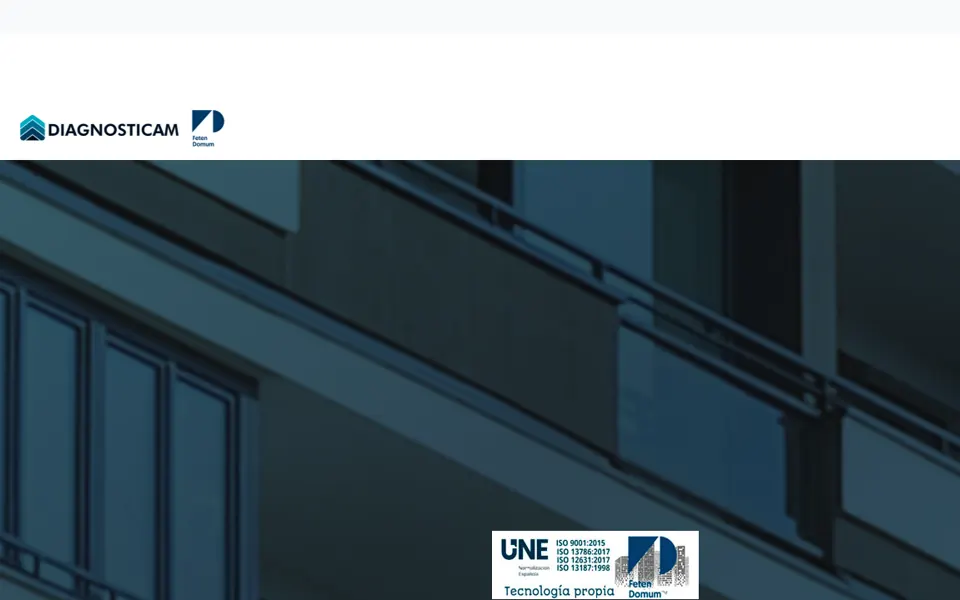
Real Google review from the Diagnosticam team about the development of their web app.
 Diagnosticam teamDiagnosticam
A web app needs a different approach from an information website. We needed to think through screens, actions and what happens when a user makes a mistake. With Reflected Studio we could discuss that journey before focusing on appearance. Those details matter in a tool people actually use.



Five steps from the idea to a tool people use.
Understand the starting point
You tell me about the process: who uses it, what decision they make, what data they need and what result they should get.
Define scope and proposal
The scope lists the screens, roles, data and integrations included, with a fixed quote before we start.
Prototype the priority journey
I validate the critical journey with representative content before investing in the full build.
Build and review
I build the interface and its states (loading, empty, error, success) with HTML, CSS and JavaScript, and you review each milestone.
Hand over and prepare what comes next
I hand over the documentation of how it works, the usage limits and an improvement plan to extend it.
Questions about apps and web apps.
Price, timings, roles, integrations and what happens afterwards: what people usually ask me before building a web tool.
How much does a custom web app cost?
It depends on the scope: number of screens, user roles, data and integrations. There is no single price because every tool solves a different process. Before we start you receive a fixed quote listing the screens, roles, data and integrations included, and any change of scope is agreed in writing.
How long does it take?
It depends on the scope and on the data, access and process decisions being ready. Dates and milestones are set out in writing in the proposal before we start. Because the priority journey is prototyped first, you see progress before investing in the full build.
How does payment work?
Normally 50% when you accept the quote and the remaining 50% once the tool is delivered. The fixed quote lists the screens, roles, data and integrations included, so you know what each payment covers. Any change of scope is agreed in writing before it is applied.
Who owns the tool when it is finished?
You do: once it is paid for, the tool is yours. It is delivered with documentation of how it works and of its usage limits, so you can extend it without rebuilding its foundations at every change. You also receive the agreed improvement plan, to decide how to keep developing it.
What do you need to prepare the quote?
Who will use the tool, what decision they make with it, what data they need and what result they should get, plus the tools it should connect to and any important date. If something is not clear yet, I help you define it before we settle scope and price.
How do I know it will work before investing in the whole tool?
The priority journey is prototyped first and validated with representative content before investing in the full build. That way you see how the essentials would work and review each milestone. I cannot promise it will solve everything, but the written scope makes clear what it covers and what it does not.
How is it different from an ordinary website?
A brochure website presents content; a web app gets a task done. That is why we start with the process and the people who will use it: screens, actions and what happens when the user makes a mistake. If you only need to present your business, what you are looking for is web design, not a tool.
Can there be users with different permissions?
Yes. Before designing screens, the tasks, users, permissions and main decisions are described, so that each role sees and does what it should. Which roles and permissions are included is listed in the written scope alongside the screens, data and integrations.
Can it connect to other tools or to my website?
Inputs, outputs and available connections are agreed with explicit limits and responsibilities. When it suits the content, WordPress is integrated. Which integrations are included is listed in the scope, and anything not written in the proposal is not assumed to be included.
What happens if the user makes a mistake or something fails?
For every action, the loading, empty, error, success and recovery responses are defined, so the tool says what has happened and what to do next. Keyboard, focus and contrast are also reviewed for the devices and tasks planned, and all of it is explained in the technical handover.
Do you build apps for the App Store and Google Play?
This service focuses on web tools used from the browser, with responsive design. The App Store and Google Play are among the possible platforms depending on the project, but publishing to the stores is only included if the proposal says so explicitly.
What happens after it is delivered?
You receive the documentation of how it works, the usage limits and an improvement plan to extend the application without rebuilding its foundations at every change. Maintenance, support or later extensions can be agreed separately, depending on what the tool needs.
Tell me which process you want to solve.
Tell me on WhatsApp who would use the tool and what it should achieve, and I will reply with a specific recommendation and the next step.
